.webp)
.webp)
Turn MCAP recordings into replayable, queryable robot data
Upload an MCAP and immediately inspect, replay, query, or connect it to AI tools. No ETL, no custom data lake, no waiting to start debugging.
.webp)

MCAP in. Everything out.
Drop in a recording once. Mesh Storage makes it available for Replay, Inspect, SQL Workbench, external Iceberg clients, and MCP-aware AI tools from the same data.
.webp)
.webp)
.webp)
One upload. One source of truth. Every surface reads the same data.
From upload to usable in seconds
Replay and Inspect work as soon as the MCAP lands. Mesh Storage indexes the same recording for SQL, external clients, and AI tools in the background.
step one
Web upload, device upload, or watched folder. MCAP files land in Mesh Storage.
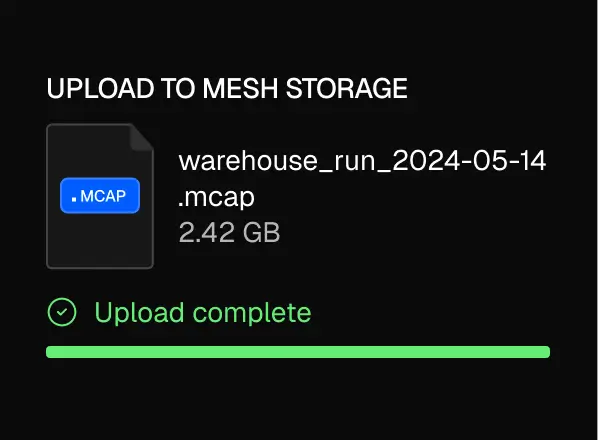
step Two
Replay and Inspect work as soon as the file lands.
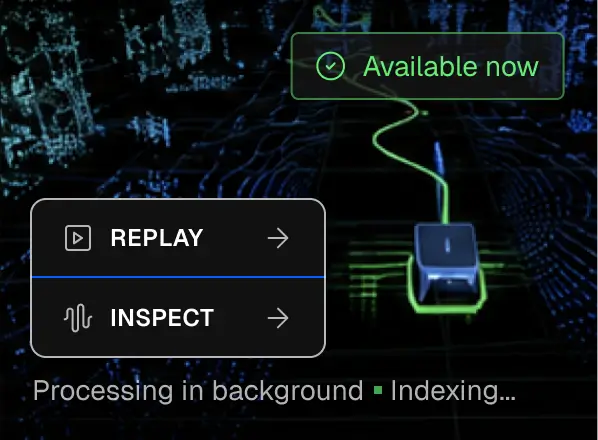
step Three
Alloy indexes recordings into queryable tables for SQL, notebooks and external clients.
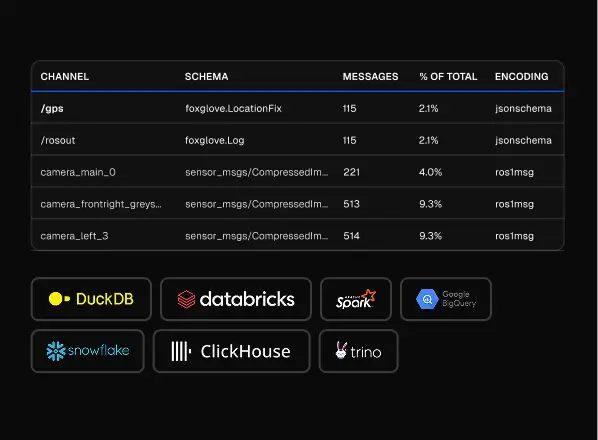
Want the setup details?
Stop stitching robot data together by hand
Mesh Storage replaces scattered MCAP files, one-off conversion scripts, and disconnected analysis tools with one upload path and one queryable source of truth.
Before Mesh Storage
.webp)
After Mesh Storage
.webp)
.webp)
From scattered recordings to one usable robot data layer.
Fits the way robotics teams already record data
Keep your MCAP workflow. Mesh Storage adds upload, replay, inspect, query, and AI access without forcing a rebuild of your recording stack.
step one
Upload from the web, push from devices, or watch a folder your recorder already writes to.
.webp)
step Two
Alloy Edge can watch the same recording directory as Foxglove Agent, so teams do not need to rip out their viewer.
.webp)
step Three
Run SQL across recordings through Alloy, DuckDB, Spark, Trino, or PyIceberg.
.webp)
step Four
MCAP in, Parquet and Iceberg underneath, standard clients out.
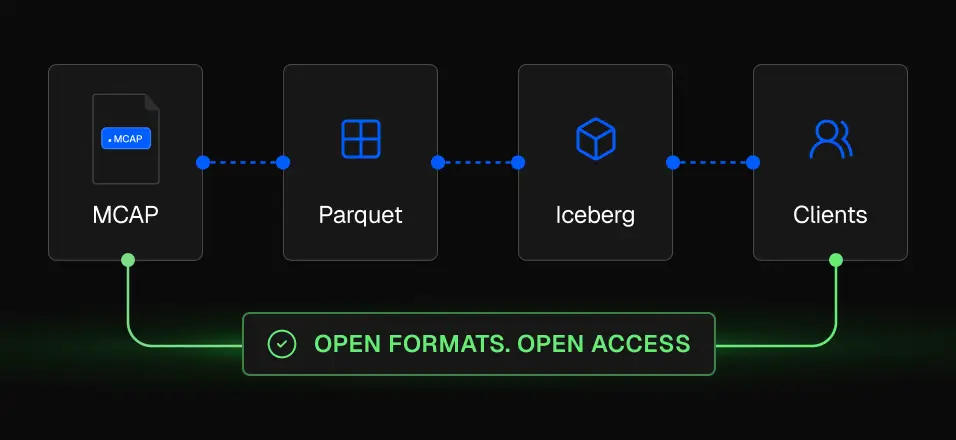
Move faster with your robot data
Spend less time on data plumbing. Ship better robots.
Replay recordings in 3D. Zoom into the exact moment something went wrong, with full context.
.webp)
Run SQL across every recording. No exports, no pipelines, no waiting for a data engineer.
.webp)
From recording to insight in minutes, not days. Your team moves at the speed of your data.
.webp)
No infrastructure to maintain. No tooling to build. Just upload and go.
.webp)
One upload. One source of truth. Every surface reads the same data.
What you can do with Alloy
Everything between raw field data and a shareable report — automated.
.webp)







query anywhere. Replay anywhere. Export anytime
Simple pricing. No surprises.
Everything you need to store, query, replay, and run AI on robot data.
$0.02
Most teams build this themselves with storage, pipelines, and tooling. Mesh Storage replaces all of it — for a fraction of the cost.
Frequently Asked
ROS bags (.bag, .db3), MCAP, Parquet, CSV, JSON, custom binary formats, and more. If your robot produces it, Alloy can ingest it. No conversion scripts or preprocessing required.
ROS bags (.bag, .db3), MCAP, Parquet, CSV, JSON, custom binary formats, and more. If your robot produces it, Alloy can ingest it. No conversion scripts or preprocessing required.
ROS bags (.bag, .db3), MCAP, Parquet, CSV, JSON, custom binary formats, and more. If your robot produces it, Alloy can ingest it. No conversion scripts or preprocessing required.
ROS bags (.bag, .db3), MCAP, Parquet, CSV, JSON, custom binary formats, and more. If your robot produces it, Alloy can ingest it. No conversion scripts or preprocessing required.
ROS bags (.bag, .db3), MCAP, Parquet, CSV, JSON, custom binary formats, and more. If your robot produces it, Alloy can ingest it. No conversion scripts or preprocessing required.
