The agent harness built for robotics.
Auto-generated reports, cross-fleet pattern detection, and conversational analysis. In the app, in Slack, or in your IDE.
.webp)
.webp)
.webp)
Ask questions. Get root cause.
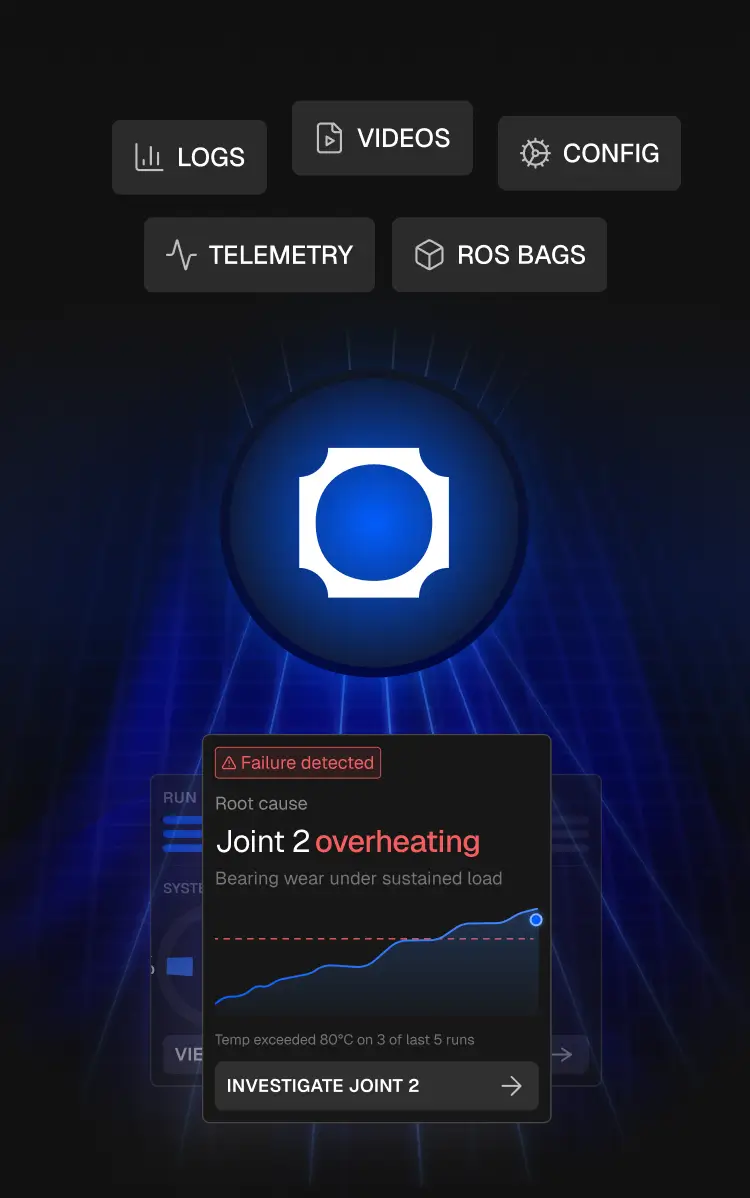
The agent scans every mission, finds anomalies your team didn't know to look for, and tells you exactly what happened, with citations to the raw data.
Validation Engineer
J
Jake
11:33 AM
Find every test where the robot failed to dock on the first attempt. Compare v1.7 and v1.8. Output it as a PDF I can send to my PM.
Alloy
11:33 AM
Narrowed 214 missions to 42 docking runs
Here's what I found across 42 docking runs.
v1.8 improved first-attempt docking from 71% to 86%, but the improvement is not uniform. Most of the gain came from low-light warehouse runs; outdoor runs were flat.
The remaining failures cluster around three patterns:
Late pose correction in the final 1.2m approach
Wheel slip on painted concrete
April 18 test rig only — likely environmental, not firmware
The PDF includes the full comparison table, failure breakdowns by condition, and two charts showing pass rate by firmware version and by environment.
Docking_Test_Comparison_Report_v1.7_v1.8.pdf
Founding Engineer
J
Jenny
08:18 AM
The robot oscillates on the vertical axis about once every 10 flights. I can't reproduce it reliably. What's causing it?
Alloy
08:18 AM
Scanned 140 flights, isolated 14 oscillations
The oscillation correlates with two conditions occurring together: optical flow sensor quality dropping below 40% and a control loop latency spike above 12ms. Neither alone triggers it.
Breakdown of the 14 affected flights:
11 occurred on reflective or low-texture surfaces (concrete, wet tile)
3 occurred during rapid altitude changes where the optical flow sensor briefly lost ground lock
0 occurred on carpet or matte surfaces
I found one flight (March 22, flight #0847) where the oscillation self-corrected after 1.4 seconds — the optical flow quality recovered above 55% and the controller stabilised. That flight is your best starting point for understanding the recovery path.
Open flight #0847 analysis
Ask a question here
Field Testing Lead
J
Marcus
03:46 PM
We're deploying to a new customer site next week. What should I be worried about based on the last 3 sites?
Alloy
03:46 PM
Reviewed 3 past sites for recurring failures
Two patterns followed you across all three sites:
GPS multipath errors near metal structures — caused 11 mission aborts total, always within 15m of a building wall
Battery estimation drift after the 40-minute mark — the robot reports 18% remaining but shuts down within 3 minutes in 6 cases. Note: Dan flagged this same drift in a report two weeks ago and recommended
recalibration. That report is here:
View prior investigationOne pattern is site-specific and probably won't follow you:
Compass interference at the Brisbane site only — likely caused by underground cabling, not present at the other two
For next week: if the new site has metal structures or indoor-outdoor transitions, expect the GPS multipath issue. I'd recommend a 35-minute mission cap until the battery model is recalibrated. → Generate pre-deployment checklist
Ask a question here
Customer Success
J
Steve
06:59 PM
Our customer in Texas says their robot "stopped working" yesterday afternoon. What actually happened?
Alloy
06:59 PM
Traced the mission to a 14:37 safe-stop
The robot didn't stop working. It entered a safe-stop state at 14:37 and didn't recover.
Root cause
The RTK fix dropped for 22 seconds, which triggered the geofence safety boundary. The robot was 1.3m outside the configured zone when the fix returned, so it refused to resume.
This is a known pattern — I've seen it in 8 other missions across 3 different units this month. Engineering resolved it in firmware v2.3 but this customer's robot is still on v2.1.
Recommended response:
confirm the customer is on v2.1, schedule the firmware update, and let them know the robot behaved
correctly — it stopped because it was supposed to.
Draft customer responseAsk a question here
Leadership
A
Alex
12:26PM
Which customers had the worst robot performance this month, and what's driving it?
Alloy
12:26PM
Ranked all 8 customers, flagged 2 outliers
Two customers are significantly underperforming the fleet average.
Greenfield Farms
34% mission abort rate (fleet average: 8%). All 19 aborts trace to the same cause: RTK dropout in their north paddock. Their base station is 2.4km away, at the edge of reliable range. This isn't a software issue — it's a site setup problem.
This is a known pattern — I've seen it in 8 other missions across 3 different units this month. Engineering resolved it in firmware v2.3 but this customer's robot is still on v2.1.
Meridian Logistics
completion rate dropped from 91% to 74% after their v2.4 update. The regression is in obstacle avoidance response time, which increased from 180ms to 340ms. This matches a known issue in v2.4 that was patched in v2.4.1 — they haven't updated yet.
The other six customers are within normal range. Fleet-wide mission completion is 91.3%, up from 88.7% last month.
The Meridian issue is a one-line fix — get them on v2.4.1. The Greenfield issue needs a conversation about base
station placement.
Generate monthly fleet health reportAsk a question here
J
Jake
11:33 AM
Find every test where the robot failed to dock on the first attempt. Compare v1.7 and v1.8. Output it as a PDF I can send to my PM.
Alloy
11:33 AM
Narrowed 214 missions to 42 docking runs
Here's what I found across 42 docking runs.
v1.8 improved first-attempt docking from 71% to 86%, but the improvement is not uniform. Most of the gain came from low-light warehouse runs; outdoor runs were flat.
The remaining failures cluster around three patterns:
Late pose correction in the final 1.2m approach
Wheel slip on painted concrete
April 18 test rig only — likely environmental, not firmware
The PDF includes the full comparison table, failure breakdowns by condition, and two charts showing pass rate by firmware version and by environment.
Docking_Test_Comparison_Report_v1.7_v1.8.pdf
Ask a question here
J
Jenny
08:18 AM
The robot oscillates on the vertical axis about once every 10 flights. I can't reproduce it reliably. What's causing it?
Alloy
08:18 AM
Scanned 140 flights, isolated 14 oscillations
The oscillation correlates with two conditions occurring together: optical flow sensor quality dropping below 40% and a control loop latency spike above 12ms. Neither alone triggers it.
Breakdown of the 14 affected flights:
11 occurred on reflective or low-texture surfaces (concrete, wet tile)
3 occurred during rapid altitude changes where the optical flow sensor briefly lost ground lock
0 occurred on carpet or matte surfaces
I found one flight (March 22, flight #0847) where the oscillation self-corrected after 1.4 seconds — the optical flow quality recovered above 55% and the controller stabilised. That flight is your best starting point for understanding the recovery path.
Open flight #0847 analysis
Ask a question here
J
Marcus
03:46 PM
We're deploying to a new customer site next week. What should I be worried about based on the last 3 sites?
Alloy
03:46 PM
Reviewed 3 past sites for recurring failures
Two patterns followed you across all three sites:
GPS multipath errors near metal structures — caused 11 mission aborts total, always within 15m of a building wall
Battery estimation drift after the 40-minute mark — the robot reports 18% remaining but shuts down within 3 minutes in 6 cases. Note: Dan flagged this same drift in a report two weeks ago and recommended
recalibration. That report is here:
View prior investigationOne pattern is site-specific and probably won't follow you:
Compass interference at the Brisbane site only — likely caused by underground cabling, not present at the other two
For next week: if the new site has metal structures or indoor-outdoor transitions, expect the GPS multipath issue. I'd recommend a 35-minute mission cap until the battery model is recalibrated. → Generate pre-deployment checklist
Ask a question here
J
Steve
06:59 PM
Our customer in Texas says their robot "stopped working" yesterday afternoon. What actually happened?
Alloy
06:59 PM
Traced the mission to a 14:37 safe-stop
The robot didn't stop working. It entered a safe-stop state at 14:37 and didn't recover.
Root cause
The RTK fix dropped for 22 seconds, which triggered the geofence safety boundary. The robot was 1.3m outside the configured zone when the fix returned, so it refused to resume.
This is a known pattern — I've seen it in 8 other missions across 3 different units this month. Engineering resolved it in firmware v2.3 but this customer's robot is still on v2.1.
Recommended response:
confirm the customer is on v2.1, schedule the firmware update, and let them know the robot behaved
correctly — it stopped because it was supposed to.
Draft customer responseAsk a question here
A
Alex
12:26PM
Which customers had the worst robot performance this month, and what's driving it?
Alloy
12:26PM
Ranked all 8 customers, flagged 2 outliers
Two customers are significantly underperforming the fleet average.
Greenfield Farms
34% mission abort rate (fleet average: 8%). All 19 aborts trace to the same cause: RTK dropout in their north paddock. Their base station is 2.4km away, at the edge of reliable range. This isn't a software issue — it's a site setup problem.
This is a known pattern — I've seen it in 8 other missions across 3 different units this month. Engineering resolved it in firmware v2.3 but this customer's robot is still on v2.1.
Meridian Logistics
completion rate dropped from 91% to 74% after their v2.4 update. The regression is in obstacle avoidance response time, which increased from 180ms to 340ms. This matches a known issue in v2.4 that was patched in v2.4.1 — they haven't updated yet.
The other six customers are within normal range. Fleet-wide mission completion is 91.3%, up from 88.7% last month.
The Meridian issue is a one-line fix — get them on v2.4.1. The Greenfield issue needs a conversation about base
station placement.
Generate monthly fleet health reportAsk a question here










Define a pattern once. Catch it forever.
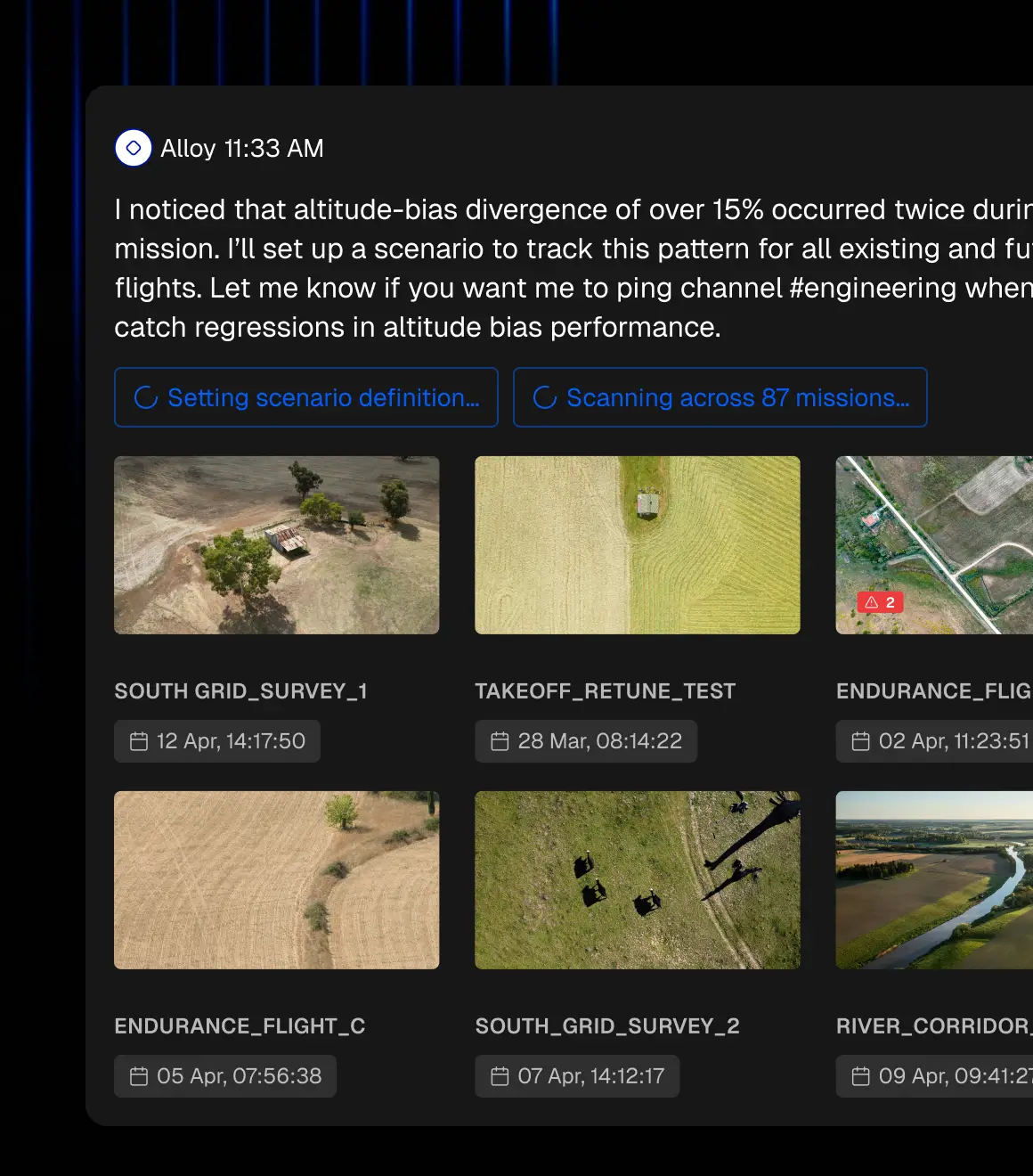
Describe what you're looking for in plain English. Alloy scans every past mission and every future upload so you'll know when the same pattern appears again.

Every mission, debriefed automatically.
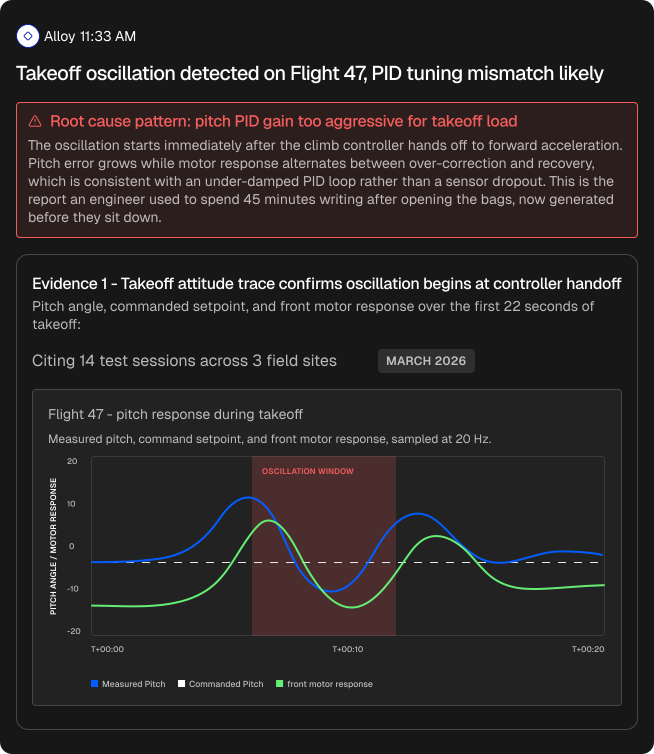
Upload a mission and get a full debrief: root cause analysis, time series plots, maps, metrics, and anomaly highlights. Configure custom reports that trigger on every new upload. Export as PDF and share with stakeholders with a prompt.. No scripts, no manual analysis.

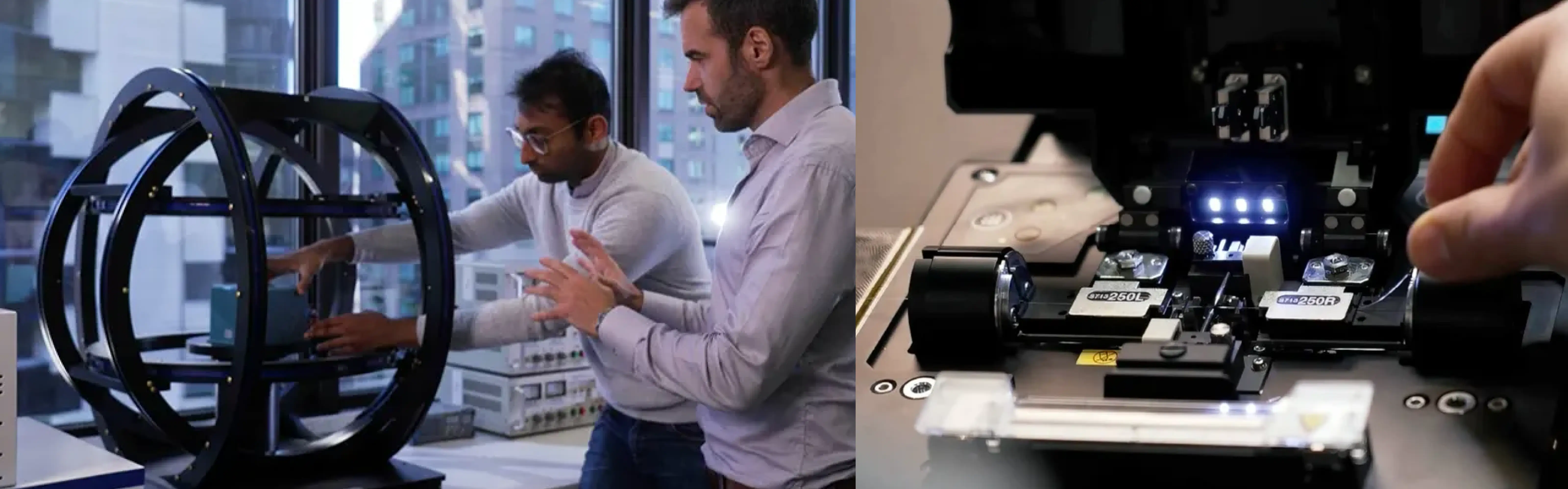
Validation teams cut their analysis time from days to minutes.
One agent across all your robot data.
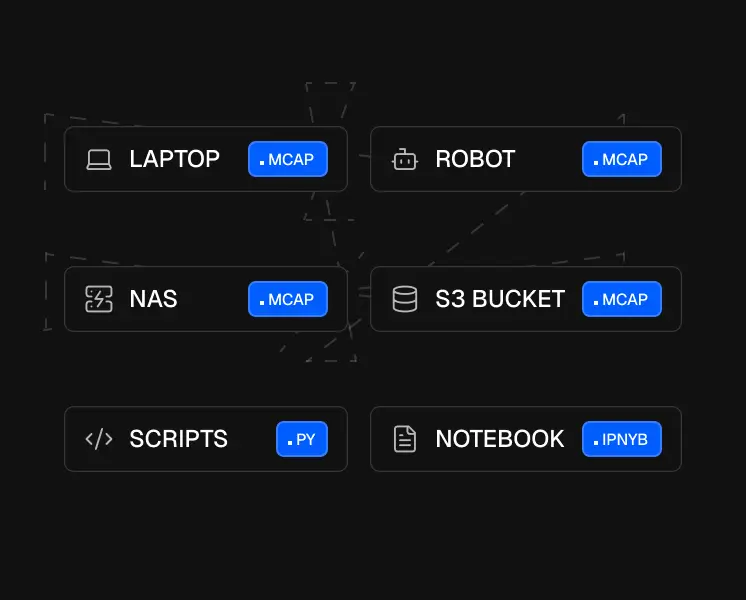
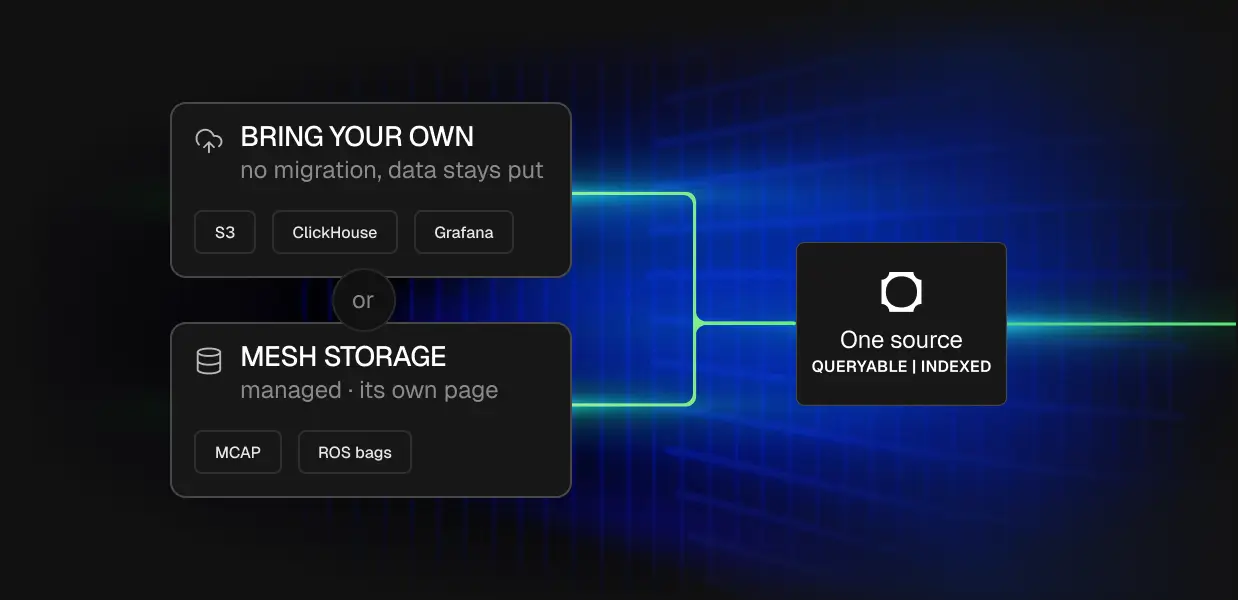
Telemetry in S3, logs in ClickHouse, dashboards in Grafana, recordings in Mesh Storage. The agent queries all of it in one conversation. No migration, no ETL, no building a unified data layer yourself.
.webp)
Tag @Alloy in Slack. Push findings to Jira. Debug with your codebase.
The agent doesn't just read your data. It files tickets, pulls code context from GitHub, reads thread history in Slack, and cites every source it touches. Same agent, every surface.






Give your coding agent superpowers.
Your agent queries your entire fleet's history from Claude Code, Codex, Cursor, or any MCP client. Find the issue in Alloy, implement the fix in your editor. No exports, no file parsing, no starting from scratch every session.

Claude Code
Claude Enterprise
~/code/usealloy.ai/
>> accept edits on (shift+tab to cycle)
Alloy can get all of the relevant flights and do the whole analysis"
Your data. Your control.
Data encrypted in transit and at rest.


Sensitive fields can be redacted on the device before data ever leaves your network. Teams in defence, medical, and compliance-restricted environments use this to stay within regulatory boundaries while still getting full platform capability.
.webp)
Frequently Asked
Yes, and this is a common workflow. You can ask Alloy to analyze your data and produce a result, such as a model or a root-cause report, then hand that result to a coding agent like Codex to implement the fix. You discover the insight in Alloy, grounded in your real recordings, and ship the change in your editor, without exporting data by hand between the two.
You do not need ROS, because Alloy works with any MCAP file regardless of what produced it. If you do use ROS, the Docker edge agent supports ROS 2 (Humble and Jazzy) out of the box, and the lightweight binary agent uploads MCAP from any folder.
Alloy handles petabyte-scale robot data. A single robot can log around a terabyte a day, and Alloy is built to search across your entire fleet's history in one query, because the work happens server-side instead of loading anything into the agent's context. The more you upload, the more cross-fleet patterns it can find.
Alloy is priced on storage at $0.02 per GB per month with no egress fees, so you are not charged every time you or an agent reads your data. You can start free with no credit card, and connecting AI tools through the MCP does not add per-read costs.
No. With the Alloy MCP, anyone on the team can ask a question in plain English and get an answer, without writing SQL or maintaining their own analysis scripts. The agent turns the question into a query for you. This replaces the scattered one-off plotting scripts engineers usually build, and lets less technical teammates get answers straight from the data.
Yes. Alloy keeps context about your fleet, your scenarios, and your previous investigations, so the agent picks up where you left off instead of starting fresh each session. Raw Codex or Claude forgets everything between sessions, which is one reason repeated fleet analysis is faster through Alloy.
Yes. Alloy stores recordings as Parquet in an open Iceberg catalog, so the same data the MCP queries is available to DuckDB, Spark, Trino, and PyIceberg directly. The MCP queries this lake with read-only SQL, and your other tools can read it in parallel with no exports.
The Alloy MCP works with any MCP-compatible client. It has been used with Claude Code, Claude Desktop, Codex, Cursor, Windsurf, ChatGPT, and Notion AI. One server connects to many agents, so engineers can stay in whatever tool they already use.
See what the agent finds in your data. Book a demo.
Push data directly from the robot, the lab, or the office. Any format. Customise it as required. Runs automated.
$0.02
/ GB / MONTH
Ask anything across your test history. Alloy runs the analysis and cites its sources so you can verify every answer.
Custom
/ GB / MONTH

Ask a question here